Historia zmian

Nowości w Stampeo

Co dodaliśmy dla ciebie, tydzień po tygodniu.

Program lojalnościowyWzór kartyAplikacja do skanowaniaKlienciPowiadomieniaRozsyłkiPanelZapisy klientówRozliczenia

Points are here, and this one is big

Points are here, and this one is big

This is the one we have wanted to ship for a long time. Stamps are perfect for a coffee and a croissant, but they fall apart the moment a basket swings from 4 to 60 euros. So Stampeo runs on points now: your customers earn on what they actually spend and pick from your reward menu. And if you are already on stamps, nothing is stuck. A guided switch converts every balance for you, and not one of your customers has to download a new card.

Nowe funkcje

  • Program lojalnościowy
    Run your program on points

    Set how many points a euro spent is worth, then build a reward menu: a name and a price in points for each reward. Customers redeem whatever their balance allows, in any order. Available on Growth and Pro, in your program settings.

  • Program lojalnościowy
    Switch between stamps and points without losing anyone

    A guided switch walks you through the new program, the new card, and the rule that converts existing balances. You see the impact on real customers before you confirm, and cards update on their own. Start it from your program settings.

  • Program lojalnościowy
    Cap the balance if you want to

    Points add up without limit by default. Turn on a maximum balance and they stop growing once a customer reaches your ceiling, which keeps a big spender from banking a year of free coffees.

  • Wzór karty
    Four ways to show a points balance

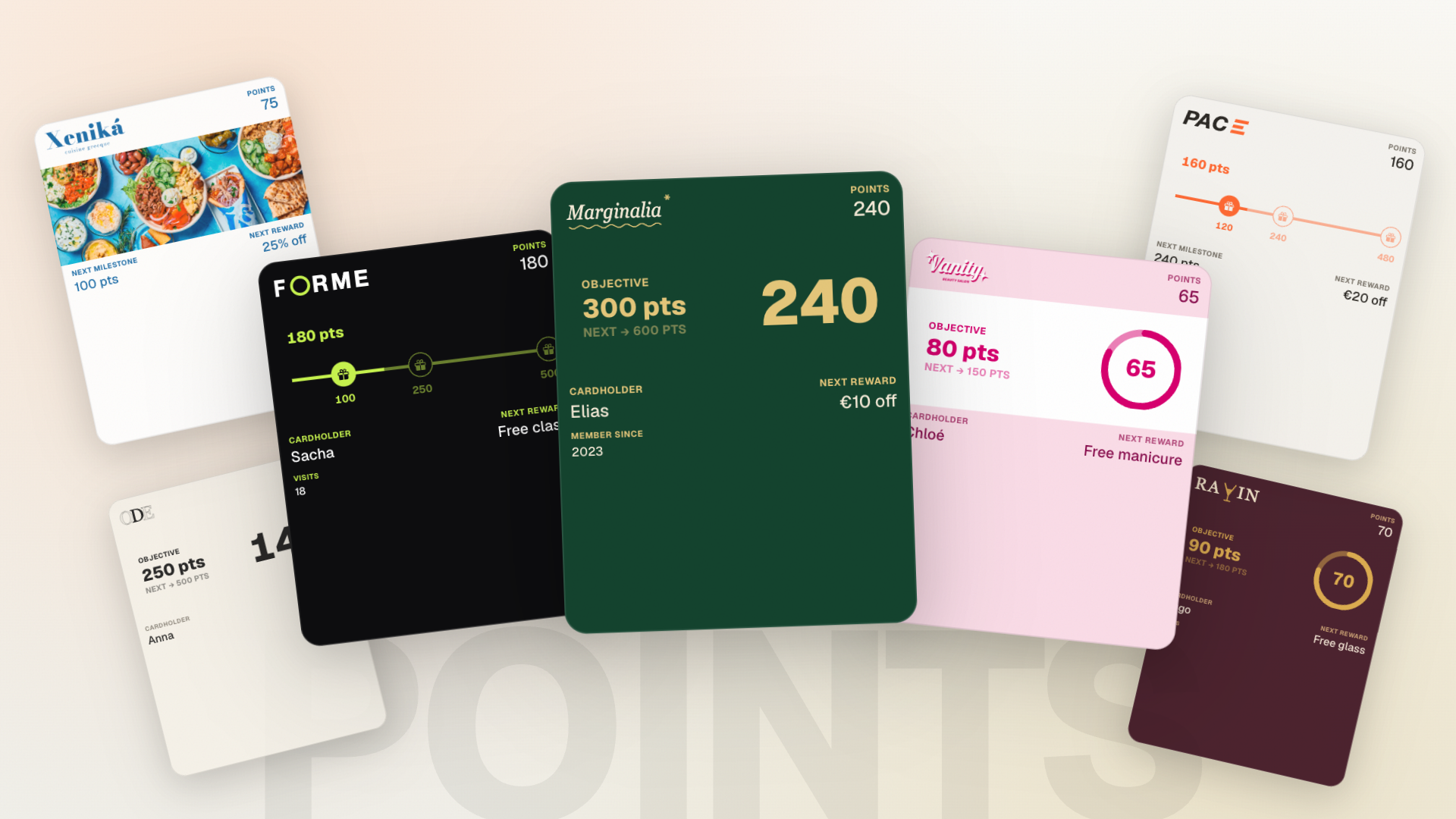
    The card editor gained a points strip: a big number, a progress ring, a reward track with one icon per reward, or your own image on its own. Pick the progress color and add a strip image in your card styles.

  • Aplikacja do skanowania
    Type the amount, the app works out the pointsDla twojego zespołu

    Scan a points card and a keypad appears. Enter what the customer spent, see the points it will add before you confirm, and watch the balance count up. This needs version 2.0 of the scanner app.

  • Aplikacja do skanowania
    Redeem any reward from the appDla twojego zespołu

    The app shows your whole reward menu, with each price and how far off the customer still is. Tap the one they want and the points come off their balance.

  • Klienci
    Adjust a points balance by hand

    From a customer's sheet you can add points from an amount spent, take back the last credit or a precise amount, and redeem a reward on their behalf. Every adjustment takes a short reason that only you see.

  • Powiadomienia
    Notifications that speak points

    A points card sends its own message every time points land, and your milestones now fire at a number of points instead of a stamp count. Three new variables carry the balance, the points left before the next reward, and what that reward costs. Written in your notifications.

  • Rozsyłki
    Target a broadcast by points balance

    Pick a minimum and a maximum balance for your audience, or keep only the customers who already have enough for a reward, which makes a good "come and claim it" message. In your broadcasts.

  • Panel
    Your stats and your activity speak points too

    On a points program the dashboard swaps stamp counts for the total balance in circulation, the average balance per customer, and the average basket. The activity feed gets its own filters for points added, removed, adjusted, and bonus points.

  • Zapisy klientów
    The signup page shows the points card

    Customers landing on your page now see the points card they are about to add, with the balance and the next reward laid out the way it will look in Apple Wallet or Google Wallet.

  • Wzór karty
    Three clear choices for your stamp strip

    The stamp strip is now picked in one place: classic stamps, your own icons, or your image on its own. You can also set the strip's background color and how strongly it shows.

  • Aplikacja do skanowania
    A scanner app that keeps upDla twojego zespołu

    The app now tells you when a required update is waiting instead of failing quietly, and it notices mid-shift if the program changed type. Text and buttons were reworked to stay legible on lighter brand colors.

  • Rozliczenia
    Your trial shows its cancel button and first charge date again

    If you started your trial with a payment card saved, your billing page was treating you as though you had never subscribed: no cancel button, and no sign of when the first charge was due. Both are back, so you can see the date you will be billed and cancel before it if you want to. Trials started without a payment card are unaffected.

UstawieniaZapisy klientówPanelKlienciProgram lojalnościowyWzór karty

New ways to bring customers in

This week marks the launch of our what's-new page, the one you're reading right now. It's where you'll find what changed in Stampeo each time, and a recap will also appear in your dashboard whenever an update concerns you. No more hunting around: it's all in one place.

And to celebrate, some big news: Stampeo now speaks Spanish, from your interface to your customers' cards, notifications and broadcasts. We also added a printable flyer for your counter, so customers can join your card in seconds. The rest of the week's updates are waiting for you just below.

Nowe funkcje

  • Ustawienia
    Stampeo now speaks Spanish

    Your whole interface can switch to Spanish, and you can set your business language and country in your settings. For your customers, add Spanish translations to your card style, and your Spanish-speaking customers receive their notifications and your broadcasts in Spanish.

  • Zapisy klientów
    A printable flyer for your counter

    Print a ready-made flyer with your QR code and set it by the till: customers join your card in seconds. Find it in your program.

  • Panel
    A what's-new page and an in-dashboard recap

    Keep up with everything that changes in Stampeo: a dedicated page tracks the updates, and a recap shows in your dashboard whenever an update concerns you.

  • Panel
    Monthly recap of your program

    Each month, get an email summary of your program: stamps given, new and returning customers, rewards redeemed, and the trend versus last month.

  • Zapisy klientów
    Faster signup pages

    The page your customers see when they scan your QR code now loads noticeably faster, so fewer people drop off while signing up.

  • Klienci
    Edit a customer's details

    Correct a customer's name, email or phone number straight from their profile.

  • Panel
    Your activity in real time

    Recent scans and your card status update on their own, with no page refresh. A stamp added or a card installed shows up right away.

  • Program lojalnościowy
    Your program pages, reworked

    Your program's overview, settings and card styles were reworked, clearer and built for mobile. Your active style is highlighted, and activating a style now asks for confirmation before it reaches your customers.

  • Zapisy klientów
    Phone numbers now save reliably

    When your signup form collects a phone number, it now saves correctly to the customer's profile.

  • Wzór karty
    Card editor and customer sheet fixes

    On mobile you can edit your card style's title again, and the action buttons in the customer detail panel were tidied up.

Pieczątki i nagrodyWzór kartyKlienci

Stackable rewards and custom stamps

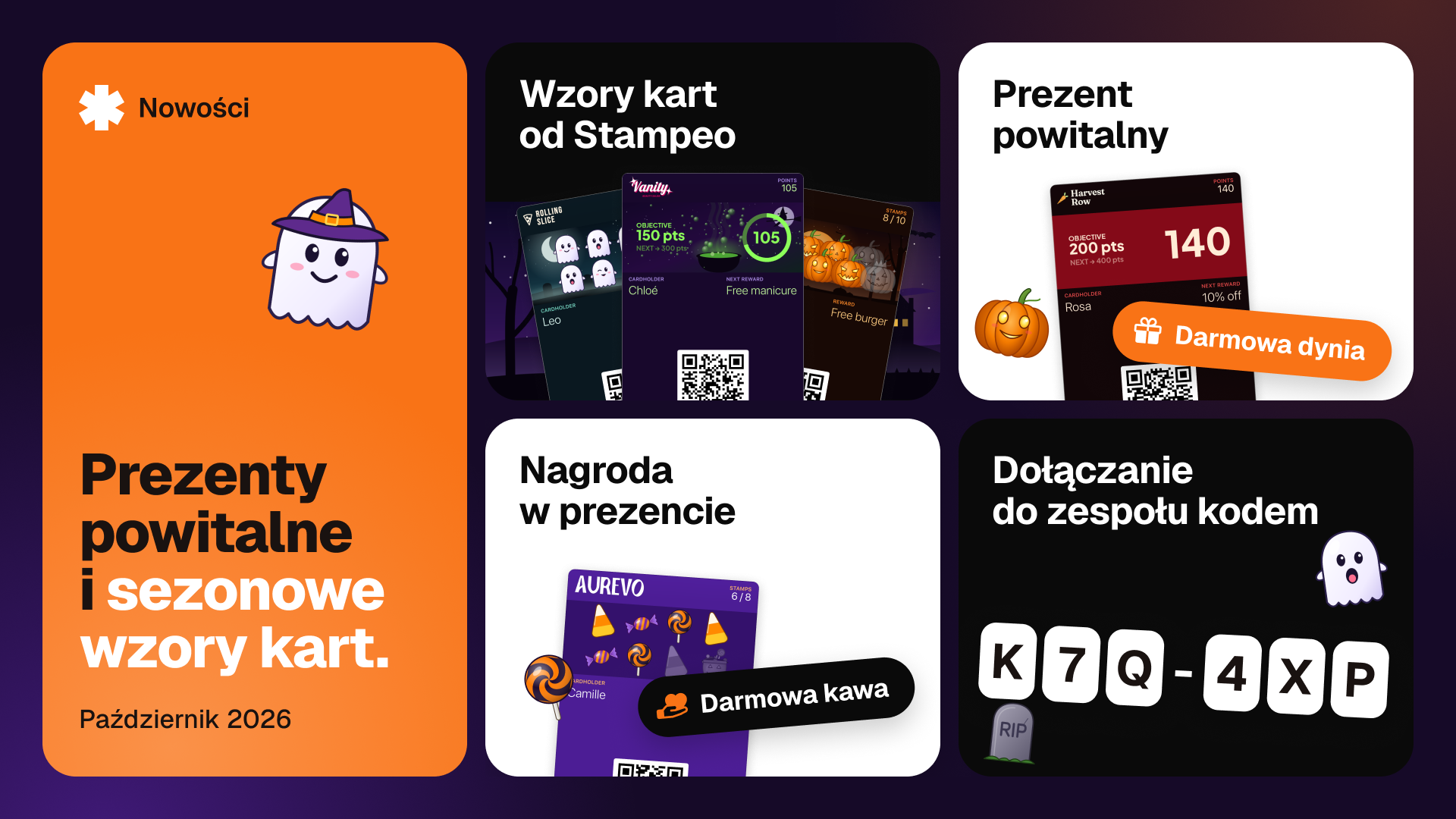
Your customers can now stack several rewards: extra stamps roll over instead of being lost. On the card side, upload your own stamp icon or pick from our presets, and offer a few head-start stamps to bring people back.

Nowe funkcje

  • Pieczątki i nagrody
    Stackable rewards

    Turn on reward stacking so extra stamps roll over and rewards stack up instead of being lost.

  • Wzór karty
    Custom stamp icons

    In your card style, upload your own icon or pick from our presets, with automatic background removal.

  • Pieczątki i nagrody
    Head-start stamps

    Give a few stamps up front at signup to encourage new customers to come back.

  • Wzór karty
    Card preview with your real values

    Dynamic card fields now show your real details (reward name, stamp goal) in the preview.

  • Klienci
    Clearer customer profile on mobile

    The customer list and profile were reworked to stay readable and easy to use on a small screen.

LokaleAplikacja do skanowaniaRozliczeniaUstawienia

Manage multiple locations

Multi-location support arrives for Pro businesses: track activity per location, assign your team, and target your broadcasts, all from a single business. The scanner app also asks which location at login.

Nowe funkcje

  • Lokale
    Multiple locations (Pro)

    From your locations, create and manage several addresses under one business, with per-location stats and addresses completed through Google Maps.

  • Aplikacja do skanowania
    Location at scan timeDla twojego zespołu

    At login, the member picks their location. Each stamp is then attributed to the right place.

  • Rozliczenia
    Pro plan self-serve

    The Pro plan is now available to subscribe to directly, with no manual step.

  • Aplikacja do skanowania
    Scanner app on the App Store and Google PlayDla twojego zespołu

    The scanner app is published on the App Store and Google Play. Download links are on the member welcome page.

  • Rozliczenia
    Subscription required to stay active

    When the trial ends or a subscription lapses, dashboard access pauses until you reactivate. Your data stays safe.

  • Ustawienia
    Sign-in that recognises returning users

    After sign-in, new and returning users are routed to the right place instead of a one-size-fits-all path.

  • Ustawienia
    Members no longer see the owner wizardDla twojego zespołu

    A member signing in on the web lands straight on the scanner interface, not the owner-only setup wizard.

UstawieniaWzór kartyPanel

A brand-new setup journey, test card included

Setting up your program is completely reworked: a guided chapter-by-chapter wizard, and above all a real test card added to your own phone before subscriptions even come up. You feel exactly what your customers will feel.

Nowe funkcje

  • Ustawienia
    Guided setup wizard

    A chapter-by-chapter wizard walks you from your business name to your first broadcast. The essential steps are enough to launch, the rest adds polish.

  • Ustawienia
    A real test card on your phone

    During setup, add your card to your own Apple Wallet or Google Wallet and receive a real stamp. You feel the product before you decide.

  • Wzór karty
    Save before leaving the editor

    If you leave the card editor with unsaved changes, Stampeo offers to save instead of losing your work.

  • Panel
    A more readable dashboard

    Stat cards and their icons were reworked for a clearer dashboard on every screen.

UstawieniaZapisy klientówApple Wallet i Google Wallet

Smoother mobile signup and cleaner emails

Signup is reworked for mobile. On the email side, tags that used to show as raw text are fixed and you can manage your email preferences.

Nowe funkcje

  • Ustawienia
    Email preferences

    Choose which emails you want to receive from your email preferences.

  • Zapisy klientów
    Reworked mobile signup

    The signup flow is optimised for mobile, faster and clearer to follow on a small screen.

  • Apple Wallet i Google Wallet
    Reliable scans on multi-business wallets

    A customer holding cards from several businesses in their wallet is now always recognised on scan, with the correct stamp count.

Zespół

Sign in with Google and Apple

You and your team can now sign in with Google or Apple, on the web and in the scanner app. One less password to remember.

Nowe funkcje

  • Zespół
    Google and Apple sign-in

    Create your account or sign in with one tap using Google or Apple, instead of email and password if you prefer.

KlienciZespółPanel

Multiple businesses, no stepping on toes

If you run more than one business, a suspended one no longer blocks the others, and the app no longer loops when a business can't be found. There's also a small guide on customer segmentation.

  • Klienci
    Segmentation explained at a glance

    A tooltip explains what customer segmentation does and how it picks who receives your broadcasts.

  • Zespół
    A suspended business no longer blocks others

    If you belong to several businesses and one is suspended, you can still reach the others.

  • Panel
    No more loop when a business is missing

    When a business can't be found, the app falls back cleanly to another active business instead of retrying endlessly.

  • Zespół
    Team role menu shows correctly

    The menu to change a member's role now appears above other elements instead of hiding behind them.

PowiadomieniaRozsyłkiStrona i treściZapisy klientów

Automatic notifications and your first broadcasts

Your customers now get a notification on every stamp, reward and milestone. On Growth and Pro, you write your own text. And the broadcasts page lets you speak to your customers directly.

Nowe funkcje

  • Powiadomienia
    Automatic notifications on the card

    Stamp added, reward ready, reward redeemed, milestone reached: your customers get the right message at the right moment, with nothing to do on your side.

  • Powiadomienia
    Write your own text (Growth and Pro)

    On Growth and Pro, customise the text of each notification with variables like the customer's first name or stamps remaining.

  • Rozsyłki
    Broadcasts to your customers

    From the broadcasts page, send a message straight to your customers' cards, for an offer or an announcement.

  • Strona i treści
    Founding program open to everyone

    The founding program is open to every new signup, with the founding price shown clearly.

  • Zapisy klientów
    Clean web addresses even with accents

    A name like "Café Renard" now generates "cafe-renard" instead of "caf-renard". Accents are converted, not dropped.

RozliczeniaAplikacja do skanowania

Subscriptions, plans and a tighter scanner

Subscriptions arrive with Stripe and three clear plans (Pay, Growth, Pro). Features adjust automatically to your plan, and the scanner app handles the camera and suspended access more gracefully.

Nowe funkcje

  • Rozliczenia
    Subscriptions and billing with Stripe

    Subscribe and manage your payment straight from your billing settings.

  • Rozliczenia
    Three plans: Pay, Growth, Pro

    Each feature switches on according to your plan, and the interface shows you clearly what's included. The public pricing page lays out all three.

  • Aplikacja do skanowania
    Clearer camera behaviourDla twojego zespołu

    The scanner app explains camera permissions better (denied, browser, insecure context) and closes the camera at the right moment during a redemption.

  • Aplikacja do skanowania
    Clear message when access is suspendedDla twojego zespołu

    If a member's scanner access is suspended, the app says so clearly instead of failing silently.

UstawieniaProgram lojalnościowyPanel

Secure sign-in and settings that hold

Account creation now uses a 6-digit verification code, a forgotten password takes a few clicks to reset, and several small snags in your business settings are fixed. The card you design at signup is also kept as your default template.

Nowe funkcje

  • Ustawienia
    Verification code on account creation

    When you sign up, you get a 6-digit code by email to confirm your address. Safer, and simpler than hunting for a link.

  • Ustawienia
    Password reset

    A forgotten password can now be reset right from the sign-in page, no need to contact support.

  • Program lojalnościowy
    Your signup card becomes your template

    The card you design during signup is kept as your default in your templates. No more starting from scratch.

  • Ustawienia
    Your language is remembered

    Stampeo remembers the language you picked from one screen and one session to the next.

  • Panel
    Smoother loading on recent scans

    The recent scans widget shows a loading state instead of an empty flash.

  • Ustawienia
    Logo upload and removal work

    Uploading a new logo or removing the old one in your business settings works again.

  • Ustawienia
    Business name no longer clipped

    The last character of your business name is no longer cut off when you save.

  • Ustawienia
    Settings messages translated to French

    Settings confirmation messages now show in French instead of staying in English.

Zapisy klientówWzór kartyProgram lojalnościowy

A more dependable card editor

We went through the card editor carefully: missing editing actions are back, the preview now reflects your real choices, and you can make some customer details optional at signup.

  • Zapisy klientów
    Optional customer fields at signup

    In your program settings, show a field (name, email, phone) without making it mandatory. Your customers see it on the form but can still get their card without filling it in.

  • Wzór karty
    Back-of-card info shows in the preview

    When you toggle a back-of-card field, the live preview updates right away instead of staying blank.

  • Wzór karty
    Change or remove an uploaded image

    After uploading an image in the editor, you can finally change or remove it without reloading the page.

  • Program lojalnościowy
    Reward field fills itself in

    The reward field now picks up your saved configuration instead of starting empty every time you open the editor.

  • Zapisy klientów
    Customer preview shows the active style

    On the signup page, the card preview now matches your business's active card style.